Press Kit
Description
The basic format to how recipes has not changed since Eliza Acton wrote the world's first cookbook in 1845. The problem with traditional recipe books is that it is easy to lose your place, you have to read it multiple times and they can be hard to follow.
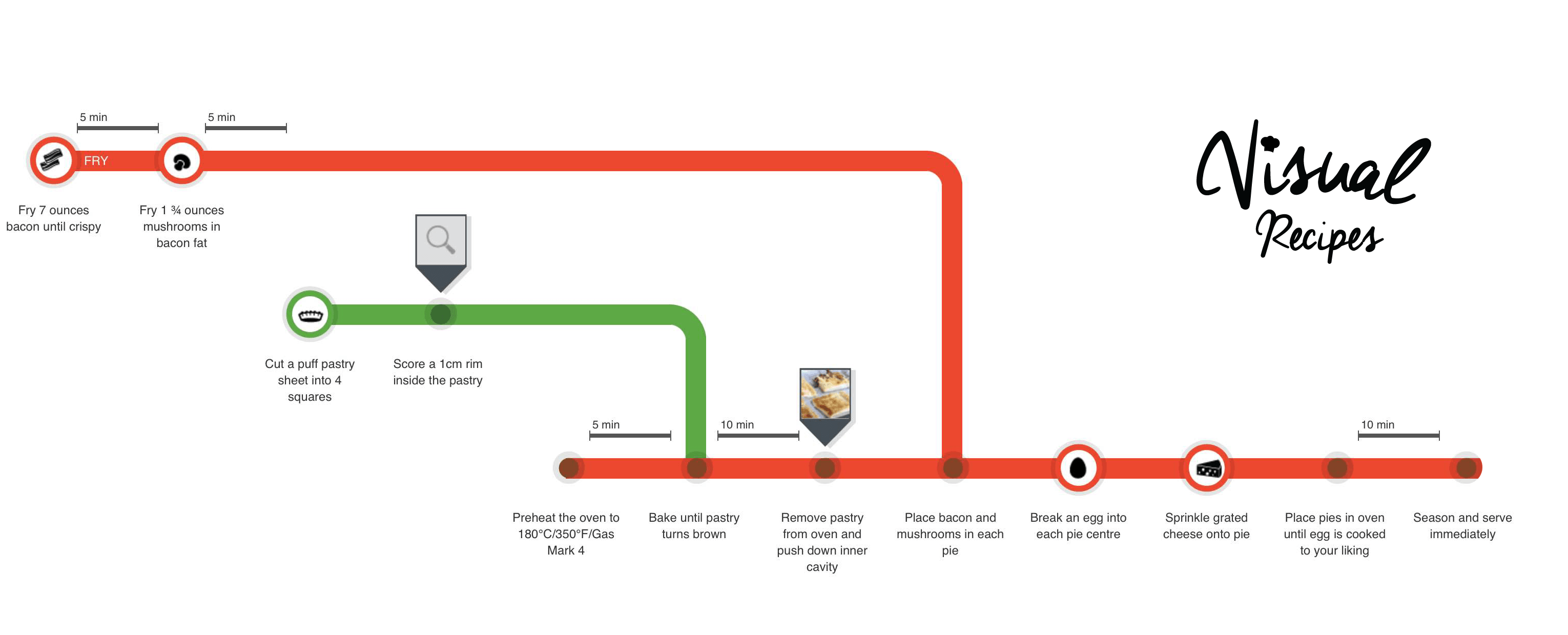
Visual Recipes solves this by organising recipes into easy-to-follow flowcharts where you can see each step chronologically. Steps are color coded so you can easily distinguish food preparation and cooking steps. You can see how long each step should take, and you can even set a timer to keep you on track.
Main Features
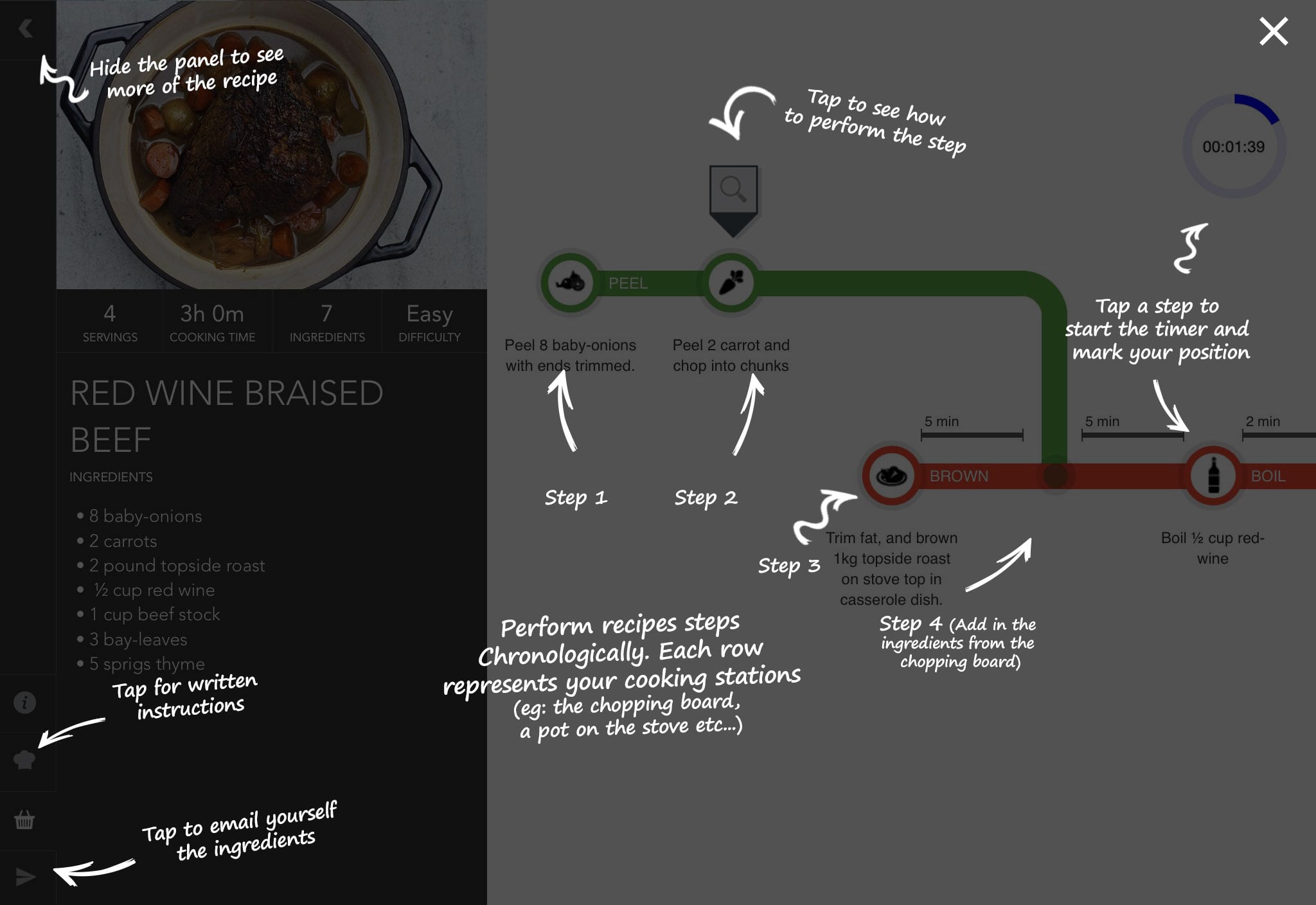
- Recipes are organised into collections
- Recipes displayed in flowcharts, with each step represented with an icon
- Steps are colored red (cooking), green (preparation), and blue (cool in fridge)
- Steps are organised into cooking stations
- You can tap icons to note that you have completed a step, or to start the timer for a step
- The timer has an alarm that will sound alerting you to start the next step
- You can email yourself the ingredients
- You can also view a written version of the recipe
Fact Sheet
- Platform: IOS iPad.
- Cost: Free to download, $1 / collection or all collections for $4.
- Website: www.visualrecipes.co
- Contact: James Greig
- Twitter: @jamesgreig
- Linkedin: /Jamesgreig
Video Overview
Images
Right click to download larger versions of the images below.
Example Flowchart
Flowchart with instruction overlay
Logo